eSIM for the United States: Complete Guide to Costs and Setup

Roami Team
Publisher of this USA eSIM comparison. Prices and coverage data are cross-checked against carrier and provider websites and corrected when they change.
📑 Table of Contents
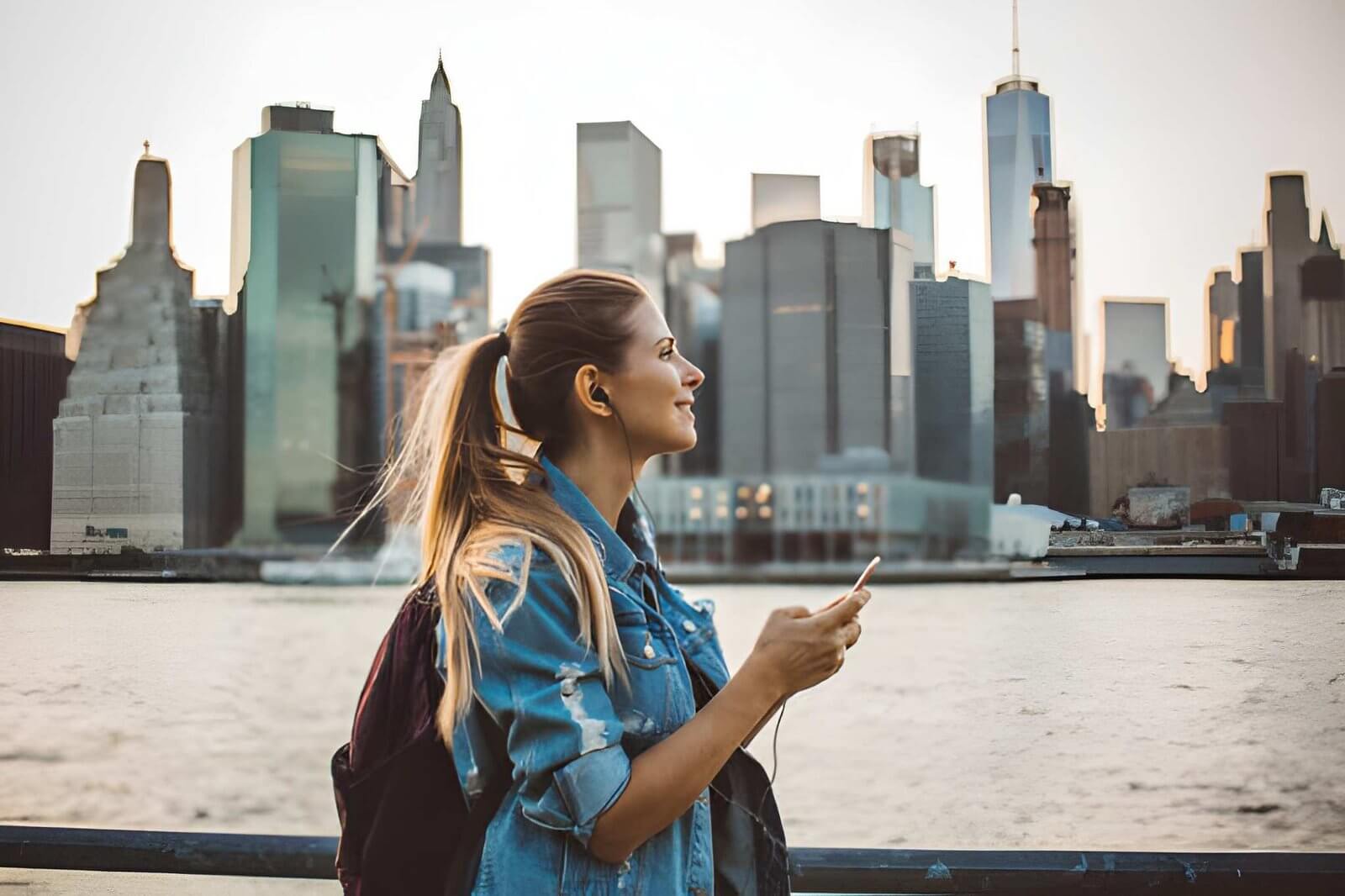
An eSIM for the United States replaces the airport SIM kiosk with a QR code you scan before boarding, and it rides whichever of the three US networks has signal where you happen to be. T-Mobile, AT&T and Verizon each cover most of the population, so the network matters more than the brand: picking wrong shows up as no signal inside a national park or unusable data in a crowded city. This guide covers how a US eSIM works, which provider to pick, what you will pay and how to install it. If you already know what you want, the the ten-provider ranking ranks ten providers side by side. (Roami is the travel eSIM brand behind this site; its USA plans run on T-Mobile, AT&T and Verizon and switch between them automatically.)
For USA eSIM pricing, see the price-per-GB comparison. For coverage details, see the network coverage breakdown.
Why USA eSIM adoption is surging in 2026
Key takeaways: Ubigi is the cheapest of the well-known international brands at the 30-day 10GB tier, with 10GB for $12 ($1.20/GB) on the T-Mobile network; Roami undercuts it at $7.99 for a 3-day plan. Tello is the best value if you need a US phone number, at $15 for 10GB with voice and SMS included. Nomad is the safest choice for rural travel, switching across T-Mobile, AT&T, and Verizon for reliable coverage in national parks and small towns. The main caveat: eSIM is the cheapest option for trips under 30 days, but a physical SIM or carrier prepaid plan becomes cheaper for 30+ day stays at higher data volumes.
The eSIM market has expanded rapidly in recent years. According to GSMA Intelligence, eSIM represented roughly 5% of global smartphone connections at the end of 2025, with the United States among the strongest markets (GSMA Intelligence).
For US travel specifically, this growth means more providers, better pricing, and improved coverage options every year. Awareness and adoption of eSIM technology among international travelers to the US continue to rise. The primary driver is convenience: no need to find a store, no physical card to lose, and instant activation upon arrival.
What you actually gain over a physical SIM
- Instant activation: Purchase and install before you leave — connect the moment you land without queues or paperwork
- Dual SIM capability: Keep your home number active for WhatsApp, iMessage, and bank SMS while the eSIM handles US data
- No physical card to lose: The profile is stored in your phone’s hardware, not on a fragile plastic SIM
- Environmentally friendly: No plastic, packaging, or shipping required — eSIM removes the physical waste of plastic SIMs entirely
- Flexible plan options: Choose from short-term, long-term, or unlimited plans across dozens of providers
- No ID or US address needed: International providers accept foreign credit cards without requiring a US billing address
For most travelers, the benefits are clear. The only situations where eSIM might not be ideal are if your phone is older than 2019 or if you need the absolute cheapest rates for a stay of 30+ days.
What is a USA eSIM and how does it work?
Quick answer: A USA eSIM is a digital SIM profile you install before you fly. It connects to T-Mobile, AT&T or Verizon when you land — no store visit, no plastic card, and your home number stays active alongside it.
How to get eSIM in USA — the short answer: you don’t need to be in the US to get one. A USA eSIM is a digital SIM card built into your phone’s hardware. Instead of inserting a physical plastic SIM card when you arrive in the US, you buy a plan online before you leave, scan a QR code, and your phone connects to the US mobile network automatically. No airport kiosk, no SIM swapping, no passport registration at a carrier store.
The GSMA’s eSIM specifications confirm the technology is now standard on most flagship phones released after 2020. Apple’s eSIM setup requirements list the compatible iPhone models — essentially every model from the XS onward, excluding devices sold in China, Hong Kong, and Macau. On the Android side, Samsung Galaxy S20 and newer, Google Pixel 3 and newer, and most recent flagships from OnePlus and Xiaomi support eSIM.
The most important thing eSIM does differently: it works alongside your existing physical SIM. Your home phone number stays active for WhatsApp, iMessage, and SMS from your bank. The eSIM handles all your US data. This is the feature that makes eSIM more convenient than a tourist SIM card, which requires you to remove your home SIM and lose access to your regular number.
To check if your phone supports a USA travel eSIM: dial *#06# and look for an EID alongside the IMEI. The device compatibility list covers every model we can confirm, and the USA eSIM setup guide walks the check through step by step. If there is no EID, your phone either lacks eSIM hardware or your carrier has disabled it — a physical SIM or pocket WiFi is then the way to get internet in the USA.
Installation differs slightly by platform, so the USA eSIM installation walkthrough covers iPhone, Samsung Galaxy and Google Pixel separately.
How a USA eSIM works at the hardware level
An eSIM (embedded SIM) is a small chip soldered directly onto your phone’s motherboard during manufacturing. Unlike a physical SIM, it cannot be removed or swapped — but it can be reprogrammed remotely. When you purchase a travel eSIM plan, the provider sends a profile to your phone that contains the network authentication keys. Your phone’s eSIM chip stores this profile and presents it to the mobile network when you connect, exactly as a physical SIM would.
The GSMA defines the eSIM standard through its Remote SIM Provisioning (RSP) specification. The technical framework involves three key components: the eUICC (the chip itself), the SM-DP+ (the remote server that delivers profiles securely), and the LPA (Local Profile Assistant — the software on your phone that manages installed profiles). Understanding these components helps when troubleshooting activation issues, as problems can arise at any layer.
Compatible devices and carrier lock
A USA eSIM needs two things: an eSIM-capable chip and an unlocked phone. Here’s how support breaks down by device, plus the lock check that decides whether travel eSIM will work at all.
| Device category | eSIM support rate (2026) | Notes |
|---|---|---|
| iPhone (XS and newer) | 100% | Excluding China/HK/Macau models |
| Samsung Galaxy (S20 and newer) | Most | Some carrier-locked models have eSIM disabled |
| Google Pixel (3 and newer) | All | Full eSIM support across all models |
| OnePlus (8 and newer) | Most | Varies significantly by region and carrier |
| Xiaomi flagships | Some | Limited to higher-end models only |
| iPads (cellular models) | All | Since iPad Pro 2018 and iPad 7th gen |
| Windows laptops | Some | Select Surface Pro and Surface Go models |
A critical point for travelers: eSIM will not work on carrier-locked phones. If your phone is locked to a specific carrier in your home country — common with contract phones in the US, Canada, Japan, and parts of Europe — you cannot add a travel eSIM until the phone is unlocked. The FCC’s unlocking rules require US carriers to unlock phones upon request after contract terms are met, but international carriers have varying policies.
Newer US handsets ship without a physical SIM tray at all. The current iPhone generation and the iPhone Air line are eSIM-only in the US — there is no plastic SIM to fall back on, so a working travel eSIM is the only cellular option. Before relying on one, check the lock status yourself: open Settings → General → About → Carrier Lock. The field must not read “SIM Locked” for a travel eSIM to work; if it does, contact your carrier to unlock the device before you buy a plan.
Always verify your phone’s unlock status before purchasing a USA eSIM. To check on Android, insert a SIM from a different carrier and restart. If it asks for an unlock code, your phone is locked. Contact your carrier to request an unlock — this is free in most cases and can often be processed within 24 hours.
USA eSIM myths debunked
| Myth | Reality |
|---|---|
| eSIMs require an internet connection to install | The QR code installs the profile locally — no active internet connection is needed |
| eSIMs drain your battery faster | eSIM chips draw the same power as physical SIMs; no measurable difference exists |
| eSIMs are less secure than physical SIMs | eSIMs are more tamper-resistant since they cannot be physically removed from the device |
| You can only have one eSIM at a time | Most phones support 5-10 stored eSIM profiles, with 2 active simultaneously |
| eSIMs are more expensive than physical SIMs | At the 10GB tier, eSIMs ($8-23) are cheaper than most tourist physical SIMs ($25+) |
| eSIMs stop working if you reset your phone | The eSIM profile survives factory resets on most modern phones |
Which US network your plan actually rides
The US runs on three mobile networks, and your eSIM rides whichever of them its provider has bought capacity on. Coverage differs sharply between the three, which is why two plans at the same price can behave completely differently two hours outside a city.
T-Mobile is the fastest network inside cities and the weakest outside them: its 4G LTE fallback does not reach nearly as far as AT&T’s or Verizon’s, so signal often drops within half an hour of a mid-sized city. That trade-off is what makes national parks, small towns and rural highways the weak spot for any T-Mobile-based travel eSIM, and it is the single most useful thing to know before you pick a provider. The city-by-city evidence is in where each US network actually reaches.
AT&T sits between the other two. Its rural LTE build reaches counties T-Mobile never covered, particularly across the Southwest, the Midwest and the Mountain states, which is why an AT&T-backed plan is the usual upgrade once an itinerary leaves the interstate. Its 5G is still thinner than T-Mobile’s downtown grid.
Verizon holds the widest 4G LTE footprint and is the carrier people end up on in Alaska’s interior or the empty stretches of the Mountain West. Its mmWave 5G is a downtown curiosity: ferociously fast on one block, gone the next.
For city travel (New York, Chicago, Los Angeles, Miami), any network works fine. For road trips or national park visits, the network your eSIM uses matters more than the provider name. A provider on T-Mobile only will feel excellent in Manhattan but useless at the Grand Canyon. A provider connecting to AT&T and Verizon (like Nomad) will hold signal in both places. Some newer providers, like Roami, automatically switch between T-Mobile, AT&T, and Verizon to keep you connected regardless of where you are.
The city-level coverage comparison has detailed maps and speed test data for every major US destination.
USA eSIM 5G coverage and performance by carrier
T-Mobile leads in 5G availability, meaning users with 5G-capable devices spend more of their time connected to a 5G signal than AT&T or Verizon users. Verizon’s 5G download speeds are the fastest in urban areas, with AT&T and T-Mobile close behind.
| Metric | T-Mobile | AT&T | Verizon |
|---|---|---|---|
| 5G Availability | Highest | Moderate | Lower |
| Median 5G Download Speed | Fast | Fast | Fastest |
| 4G LTE Coverage (population) | High | High | High |
| Rural Coverage Quality | Fair | Good | Best |
| Urban 5G Peak Speed | Very fast | Fast | Fastest (mmWave) |
USA eSIM regional coverage breakdown
The best carrier for your USA eSIM depends heavily on where you are traveling:
-
Northeast (NYC, Boston, Washington DC, Philadelphia): All three carriers perform well. T-Mobile offers the fastest urban speeds. Verizon has the best building penetration in dense office districts.
-
West Coast (Los Angeles, San Francisco, Seattle, Portland): T-Mobile leads in speed metrics; Verizon leads in reliability and building penetration. AT&T is a strong middle-ground option.
-
Southwest (Arizona, New Mexico, Texas, Nevada): AT&T and Verizon dominate outside city centers. T-Mobile drops significantly in rural areas and along interstate highways between cities.
-
Mountain states (Colorado, Utah, Montana, Wyoming, Idaho): Verizon is the most reliable carrier, particularly in ski resorts and national parks. AT&T is a solid second choice in most mountain towns.
-
Midwest (Chicago, Detroit, Cleveland, Minneapolis): T-Mobile is excellent in Chicago and major metro areas. AT&T and Verizon are stronger choices across the rural Midwest and along interstate corridors.
-
Southeast (Florida, Georgia, North Carolina, Tennessee): AT&T has the broadest coverage, particularly in the Smoky Mountains and coastal areas. Verizon is strong in Florida. T-Mobile performs well in Atlanta, Miami, and Charlotte but weakens in between.
-
Alaska and Hawaii: Verizon-based providers consistently outperform other carriers. In Alaska, coverage is largely limited to populated areas regardless of carrier.
Pros and cons of each US carrier for a USA eSIM user
T-Mobile
- Pros: Fastest 5G speeds in cities, best urban availability at 62%, widely supported by most international eSIM providers
- Cons: Weak rural coverage, poor 4G LTE fallback, limited connectivity in national parks and small towns
AT&T
- Pros: Better rural coverage than T-Mobile, solid performance in the Southwest and Midwest, growing 5G footprint
- Cons: Slower 5G speeds than T-Mobile, fewer eSIM providers exclusively use AT&T
Verizon
- Pros: Best overall 4G LTE footprint, strongest in remote areas and national parks, excellent building penetration in cities
- Cons: Lower 5G availability at 29%, mmWave 5G limited to small downtown areas, fewer budget eSIM options on the Verizon network
How automatic network switching works
Traditional travel eSIMs lock you to a single carrier network. If that network has weak coverage in your location, you are stuck with slow or no data. Newer providers like Roami use multi-IMSI (International Mobile Subscriber Identity) technology to switch between T-Mobile, AT&T, and Verizon based on real-time signal strength and network conditions.
This automatic switching solves the biggest pain point of USA travel eSIMs: the uncertainty of coverage. Whether you are in a downtown office building where Verizon’s building penetration excels, or driving through a remote highway where AT&T’s rural coverage is stronger, a multi-network eSIM finds the best available network without manual intervention. For a detailed analysis of how multi-network eSIMs compare to single-network providers, the our 2026 provider ranking includes network switching as a key evaluation criterion.
How to get eSIM in USA: choosing the right plan
For most USA eSIM travellers the decision comes down to trip length rather than brand. A two-week holiday sits in the 10–20GB band, a long weekend rarely needs more than 5GB, and American travellers commonly overbuy — a 20GB plan for a seven-day trip often finishes with more than half unused. The one case that overrides trip length is the tourist who needs a real US number for restaurant bookings and SMS verification codes, because that rules out most data-only plans.
USA eSIM plans and pricing vary significantly by provider. Here’s a quick guide to the best eSIM for USA travel based on your trip type:
| What kind of trip | Pick this | Starting price | Best for |
|---|---|---|---|
| City trip (NYC, Chicago, LA, San Francisco) | Ubigi | $4 for 1GB | $1.20 per GB |
| Need a US phone number for calls and SMS | Tello | $5 for 1GB | $1.50 per GB at 10GB |
| Driving through national parks and small towns | Nomad | $5.00 for 1GB | $2.50 per GB at 10GB |
| Want unlimited data, don’t want to track usage | Holafly | $20.50 for 5 days | Truly unlimited (phone) |
| Short weekend trip, cheapest option | Saily | $3.99 for 1GB | $2.30 per GB at 10GB |
| Cheapest per GB, with automatic switching | Roami | $2.99 for 1GB | $7.99 for 10GB |
Roami is the cheapest option at the 10GB tier at $7.99 (3 days), well under Ubigi’s $12. Tello is the best value if you need a US phone number. Nomad is the safest choice for rural travel because it switches across T-Mobile, AT&T, and Verizon. If your trip mixes cities with national parks, Roami’s multi-network USA eSIM keeps you on whichever of the three carriers is strongest — you don’t have to know in advance.
For a deeper USA eSIM comparison covering all eight providers across speed, coverage, pricing, and features, the USA eSIM ranking comparison has the full side-by-side analysis.
Plans and pricing at a glance
How USA eSIM pricing scales from 1GB to unlimited across major providers. For a full breakdown of every plan and per-GB cost, see the tier-by-tier price comparison.
| Provider | 1GB | 5GB | 10GB | 20GB | Unlimited |
|---|---|---|---|---|---|
| Airalo | — | — | — | — | from €10.50 (3 days) |
| Ubigi | $4.00 | — | $12.00 | — | $25.00 (7 days) |
| Tello | $5.00 | $10.00 | $15.00 | $25.00 | $25.00 |
| Nomad | $4.00 | $13.00 | $19.00 | $22.00 (sale) | $25.00 (7 days) |
| Holafly | — | — | — | — | $20.50 (5 days) |
| Saily | $3.99 | $13.99 | $22.99 | — | — |
| Roami | $2.99 (3d) | $5.99 (3d) | $7.99 (3d) | — | $8.99 (3d) |
Provider features and customer satisfaction
Two provider-level questions matter more than the brand badge: what each plan actually includes, and how users rate it after the trip. This section is the summary — the USA eSIM provider head-to-heads drill into the individual providers and pairings.
USA eSIM provider feature comparison
| Feature | Airalo | Ubigi | Tello | Nomad | Holafly | Roami |
|---|---|---|---|---|---|---|
| US phone number | No | No | Yes | No | No | No |
| Multi-network switching | 2 carriers | 1 carrier | 1 carrier | 3 carriers | 1 carrier | 3 carriers |
| Live customer support | Chatbot | Chatbot | Email + Chat | Chatbot | Live humans | |
| Hotspot included | Yes | Yes | Yes | Yes | Limited (1GB/day) | Yes |
| App management | iOS + Android | iOS + Android | iOS + Android | iOS + Android | iOS + Android | iOS + Android |
| Top-up available | Yes | Yes | Yes | Yes | No | Yes |
| Refund window | 30 days | 14 days | 7 days | 7 days | 24 hours | 14 days |
| Multi-country plans | Yes | Yes | No | Yes | Yes | No |
USA eSIM user satisfaction and real-world performance
User satisfaction varies by provider:
-
Ubigi: Users praise competitive pricing and reliable T-Mobile connectivity. Some report difficulty with APN configuration on Android devices. Recommended for value-focused travelers.
-
Airalo: Widely recognized globally. Users appreciate the intuitive app interface but note that customer support response times can be slow during peak travel periods.
-
Tello: Highly recommended for users who need a US phone number. Some users note that international roaming add-ons and plan renewals can be confusing to manage.
-
Nomad: Valued for T-Mobile, AT&T, and Verizon network access. Travelers in the Southwest and Rocky Mountain states consistently report better rural coverage compared to T-Mobile-only providers.
-
Holafly: Popular for unlimited data convenience. Users frequently cite the 1GB/day hotspot cap as a significant limitation for laptop users.
-
Roami: Users highlight automatic three-carrier switching and responsive live support as key differentiators. Particularly recommended for travelers visiting multiple regions.
Best USA eSIM value by trip type
| Trip scenario | Recommended provider | Why |
|---|---|---|
| Weekend city break (2-3 days, 1-3GB) | Airalo or Ubigi | Lowest entry price, both under $5 for 1GB |
| Week-long vacation (7 days, 5-10GB) | Ubigi | $12 for 10GB over 7 days — best per-GB value at this tier |
| Business trip with US calls (7 days) | Tello with US number | $15 for 10GB with voice and SMS included |
| National parks road trip (10-14 days) | Nomad or Roami | AT&T/Verizon access for reliable rural coverage |
| Family of 4 (7 days, moderate use) | Ubigi (4 plans x 5GB) | $36 total — competitive with a single pocket WiFi |
| Unlimited streaming (7+ days) | Holafly or Roami unlimited | No data tracking worries, both under $30 |
| First-time eSIM user | Roami | Live chat answered in under 5 minutes, plus a free trial plan |
How it compares with the airport SIM kiosk
This section is the short version of a longer decision. The full four-way comparison runs eSIM, physical SIM, pocket WiFi and international roaming through total cost of ownership, airport pricing and roaming bills — worth reading if the price difference between the options is the deciding factor for you.
There are three ways to keep a phone online in the US. Here’s when each one makes sense.
eSIM is best for most travelers. It’s cheaper than pocket WiFi, more convenient than physical SIMs, and keeps your home number active. Setup takes 5 minutes before you leave, and you don’t need to visit a store or queue at the airport. For solo travelers on short to medium trips (under 30 days), this is the default choice. Plans start at $3.99 for 1GB from Saily, and Ubigi offers 10GB for $12 — a small fraction of what pocket WiFi costs for the same period.
Physical SIM makes sense if your phone doesn’t support eSIM at all, or if you’re staying 30+ days and want the best local rates. A T-Mobile prepaid SIM at $25 for 30GB often beats international eSIM pricing at that volume. The trade-off is you need to find a store (or queue at the airport), swap out your home SIM, and lose access to your regular number unless your phone supports dual physical SIMs. The USA prepaid eSIM plans compares prepaid options from T-Mobile, AT&T, and Verizon.
Pocket WiFi is a rental device that creates a portable WiFi network. It works best for groups of 3 or more people sharing one connection. For a 7-day trip, pocket WiFi costs roughly $50-70 — compared to $12-20 for an eSIM. At 3-4 people, the costs converge, but you’re still carrying, charging, and returning an extra device. Pocket WiFi rentals are often cited for battery life and return logistics as their top drawbacks.
Tech publications rank eSIM as the top choice for most travelers, citing instant activation and dual SIM support. The USA eSIM vs physical SIM guide has a full cost breakdown for every travel scenario, including the environmental comparison between eSIM and plastic SIM.
USA eSIM, physical SIM and pocket WiFi cost by trip duration
| Trip length | eSIM cost | Physical SIM cost | Pocket WiFi cost | Best value |
|---|---|---|---|---|
| 3 days (2GB) | $5-8 | $10-15 | $30-40 | eSIM |
| 7 days (5GB) | $9-14 | $20-30 | $50-70 | eSIM |
| 14 days (10GB) | $12-20 | $30-45 | $80-120 | eSIM |
| 30 days (20GB) | $22-35 | $25-35 (carrier prepaid) | $150-200 | Tie — Physical SIM or eSIM |
| 60 days (50GB) | $50-80 | $25-40 (carrier prepaid) | $300+ | Physical SIM |
Pros and cons summary at a glance
eSIM
- Pros: Instant digital setup, keep your home number active, no physical card to lose, cheapest option for trips under 30 days, eco-friendly, no ID required
- Cons: Requires a compatible and unlocked phone, single-use installs, some plans have complex refund policies
Physical SIM
- Pros: Cheaper for 30+ day stays at higher data volumes, works on any unlocked phone including older models, no app needed
- Cons: Requires finding a store or airport kiosk, lose access to your home number, SIM card can be lost or damaged, not eco-friendly, may require ID and US address
Pocket WiFi
- Pros: Works with any WiFi-enabled device, shareable with a group, no phone compatibility issues, no installation needed
- Cons: Most expensive option overall, extra device to carry and keep charged, must queue for pickup and return, battery life limitations
Choosing by travel style
The provider that works for one traveler might be the wrong choice for another. Here’s how to narrow it down by what your trip actually looks like, starting with the network question.
Road trips and national parks. Most eSIMs run on T-Mobile, which is the weakest carrier in rural America. If your itinerary includes Yellowstone, the Grand Canyon, Zion, or any cross-country driving through the Southwest, you need a provider that connects to AT&T or Verizon. Nomad connects directly to both AT&T and Verizon, and Roami goes a step further by roaming onto all three networks — it’s why travelers driving through Montana or Utah consistently report better signal than friends using T-Mobile-based eSIMs. For a full breakdown, the best eSIM for USA road trip covers national park coverage and highway performance in detail.
Business travel and remote work. If you’re traveling for work and need to make client calls from your phone, a data-only eSIM won’t cut it. You need a provider that includes a real US phone number — Tello offers the best per-GB pricing with voice support among those options. If you’re working across multiple devices (phone, tablet, laptop), Google Fi’s multi-device plans let you use the same data on all of them without buying separate plans. The USA eSIM for business travel guide compares hotspot speeds, multi-device support, and long-stay pricing.
Family trips and group travel. The math changes when you’re traveling with multiple people. For a family of four, four separate eSIMs at $12 each costs $48 — about the same as a pocket WiFi rental. The advantage of individual eSIMs is everyone can go their own way without losing internet. Google Fi’s group plans can also reduce per-person costs if everyone’s devices are on one account. The USA eSIM for family and special trips guide compares shared data options versus individual plans for every group size.
Multi-country trips (Canada and Mexico). If your trip crosses US borders, buying separate eSIMs at each country is expensive and inconvenient. Nomad and Airalo both offer regional North America plans that cover the US, Canada, and Mexico on a single eSIM — you cross the border and it just keeps working. The the provider comparison lists which providers include multi-country coverage and which charge extra for it.
Real-world USA eSIM traveler scenarios
Scenario 1: Solo backpacker visiting NYC for 5 days Maria from Brazil is visiting New York for the first time. She uses WhatsApp for communication and Google Maps for navigation. She buys a 3GB Ubigi plan for $7 before leaving home and installs it in 3 minutes. Total connectivity cost: $7. She keeps her Brazilian number active for bank SMS and WhatsApp. A physical SIM would have cost $20-30 and required finding a store. Verdict: eSIM is the obvious choice.
Scenario 2: Family of 4 on a 2-week California road trip The Chen family from Singapore is driving from San Francisco to Los Angeles via the Pacific Coast Highway, with stops at Yosemite and Sequoia National Parks. They choose Nomad for multi-network coverage (critical in national parks) and buy four individual 10GB plans at $19 each = $76 total. Without eSIMs, they would have rented a single pocket WiFi at $100-120 for 14 days. While pocket WiFi would have been slightly cheaper, each family member would lose internet when separated — at a national park visitor center, that means losing track of each other. Verdict: Individual eSIMs offer more freedom and safety.
Scenario 3: Student staying 3 months for a semester program Pierre from France is spending a semester at UCLA. For a 90-day stay, he needs reliable data and a US phone number for campus communications. He buys a T-Mobile prepaid physical SIM at $25 for 30GB, then tops up $25 for month two and $40 for month three. Total: $90 for 90 days, with a US number included. An eSIM at the same data volume would cost $60-120, but finding one with a US number is harder. Verdict: For 90+ day stays, a carrier prepaid plan with a physical SIM edges out eSIMs when a US number is needed.
USA eSIM for solo travelers and backpackers
For solo travelers on a budget, the priority is finding the cheapest reliable option. Saily’s $3.99 1GB plan covers a weekend of maps and messaging. For longer backpacking trips of 2-4 weeks, Ubigi’s 10GB plan at $12 is the best value per gigabyte. When you travel alone there is no one else’s hotspot to fall back on if your signal drops, so automatic carrier switching is worth paying for.
Recommended setup for solo backpackers:
- Under 7 days: Saily or Ubigi, 3-5GB ($7-14)
- 7-14 days: Ubigi, 10GB ($12)
- 14-30 days: Ubigi 25GB or Tello 25GB with voice ($25)
- Pro tip: Download offline maps and streaming content on hostel or hotel WiFi to stretch your eSIM data
USA eSIM for luxury and premium travelers
If budget is not your primary concern, the best choices shift toward premium support and unlimited convenience. Travelers staying at luxury hotels typically have reliable in-room WiFi, reducing their eSIM needs to on-the-go navigation, ride-sharing, and restaurant research between locations.
Recommended setup for premium travelers:
- Any trip length: Holafly unlimited ($2.46-4.10/day) or Roami unlimited ($8.99 for 3 days)
- The convenience of never checking data usage is worth the premium for this travel style
- If you need a US number for restaurant reservations, hotel concierge calls, or local services, Tello with a US number ($15/10GB) plus an unlimited data add-on provides an elegant combination
- For business-class travelers making multiple short US trips per year, keeping a single USA eSIM profile with top-up capability saves the hassle of buying new plans each time
USA eSIM for digital nomads and long-stay travelers
For stays of 30-90 days, the connectivity strategy shifts from short-term convenience to cost efficiency over volume.
| Duration | Best option | Estimated cost | Notes |
|---|---|---|---|
| 1 month (30GB) | T-Mobile Prepaid or Tello | $25-35 | US number included, solid urban coverage |
| 2 months (60GB) | T-Mobile Prepaid + top-up | $50-70 | Cheaper per GB than travel eSIMs |
| 3 months (90GB) | AT&T Prepaid or Tello | $75-100 | Better rural coverage than T-Mobile |
| 6 months+ | Google Fi (flexible plan) | $30-80/month | Multi-device support, pauses when not in use |
USA eSIM for cruise and resort travelers
Cruise passengers face a unique connectivity challenge: most eSIMs connect to US cellular networks, but cruise ships use maritime satellite networks that are not covered by standard travel eSIM plans.
Key considerations for cruise travelers:
- At sea: Standard eSIMs will not work. You need the cruise ship’s WiFi package for connectivity while sailing.
- In port: Your eSIM connects to the local US network when the ship docks near a US city. For Alaska cruises, Verizon-based eSIMs are the most reliable in Alaskan ports and coastal passages.
- Resort WiFi: Most US resorts and all-inclusive properties offer free WiFi in rooms and common areas, reducing your eSIM data needs significantly.
- Port days: Download offline maps of each port before departure. Navigation between the ship and excursion destinations is where you will use most of your eSIM data.
Recommended setup:
- Small eSIM plan (3-5GB for a 7-day cruise) for port days and onshore excursions
- Ship WiFi package for at-sea connectivity (purchased separately from the cruise line)
- Download offline maps of each port city before departure
USA eSIM for students and exchange visitors
International students studying in the US for a semester or academic year need a different approach than short-term travelers. Most students spend significant time on campus WiFi, reducing their mobile data needs compared to tourists. However, they require a US phone number for university communications, bank account setup, and local services.
Recommended setup for students:
- First 30 days: Tello with a US number ($5-15/month for 1-10GB) — flexible, no contract, international credit card accepted
- After 30 days: Switch to a T-Mobile or AT&T prepaid plan for better long-term rates ($25-40/month for 30-50GB)
- Alternative: Google Fi for students who travel back and forth between the US and their home country, as it works in 200+ countries
- For summer and winter breaks: Most providers allow pausing or reducing plans, so you are not paying for data you do not use while traveling home
Sizing a plan to your trip
Plan sizing is where trip length and streaming habits collide. The per-GB cost tables show what each plan size actually costs, and the cap-free plan guide covers when an unlimited plan is worth the premium over a metered one.
Most USA eSIM providers offer plans from 1GB to unlimited. Here’s how to pick the right amount based on how you actually use your phone.
| Duration | Light use | Moderate use | Heavy use |
|---|---|---|---|
| 3-4 days | 1-3 GB | 3-5 GB | 5-10 GB |
| 7 days | 3 GB | 5 GB | 10 GB |
| 14 days | 5 GB | 10 GB | 20 GB |
| 30 days | 10 GB | 20 GB | 50 GB or unlimited |
Price per GB comparison (at the 10GB tier): How much you pay per gigabyte varies significantly between providers. Ubigi offers 10GB for $12 — that’s $1.20/GB. Saily charges $22.99 for the same amount, or $2.30/GB. Tello includes a US phone number at $15 for 10GB ($1.50/GB with a number included). Nomad’s $19 for 10GB works out to $1.90/GB and adds AT&T and Verizon to T-Mobile. For heavy users, Ubigi’s 25GB plan runs $1.28/GB, while Roami undercuts the 10GB tier entirely with $7.99 for a 3-day plan.
Hotspot and tethering: Most fixed-data eSIMs allow unlimited hotspot sharing — you can connect a laptop or tablet without using extra data beyond your plan. The exception is unlimited plans. Holafly caps hotspot at 1GB per day, which limits laptop tethering to about two video calls. If hotspot is important to you, choose a fixed-data plan over an unlimited one.
For a full comparison of every provider’s USA eSIM plans and pricing by data tier, the USA eSIM cost comparison breaks down costs per GB and highlights the best value at each tier.
If you’re a heavy data user who wants unlimited without tracking usage, the the unlimited data guide covers fair use policies, hotspot caps, and which unlimited plans actually deliver.
USA eSIM data consumption by app type
Knowing exactly how much data popular apps consume helps you choose the right plan without overpaying:
| App / Activity | Data per hour | Notes |
|---|---|---|
| Google Maps navigation | 5-10 MB | Download offline maps before your trip to save data |
| Spotify (normal quality) | 40 MB | Download playlists on WiFi before departure |
| Spotify (high quality) | 150 MB | Best avoided on mobile data |
| YouTube (480p) | 250 MB | Acceptable quality on a phone screen |
| YouTube (720p) | 750 MB | Uses 3x more data than 480p |
| YouTube (1080p) | 1.5 GB | Only recommended on WiFi |
| Netflix (standard quality) | 700 MB | Good enough for phone screens |
| Netflix (HD) | 3 GB | Consumes a 10GB plan in just over 3 hours |
| Zoom / Google Meet | 500 MB - 1 GB | Varies by video resolution and number of participants |
| Instagram / TikTok scrolling | 150-300 MB | Auto-playing videos are the main data consumer |
| WhatsApp audio call | 30 MB | Very data-efficient |
| WhatsApp video call | 150-250 MB | Quality depends on connection speed |
| Uber / Lyft ride | 2-5 MB per ride | Minimal data use for map loading and booking |
| Email (no attachments) | 1-2 MB per 100 messages | Negligible data consumption |
| Web browsing | 60-80 MB per hour | Varies by site complexity and number of images |
Tips to reduce data usage while traveling
-
Download offline Google Maps for your entire destination area before leaving. GPS navigation works without mobile data — the maps load from your phone’s storage. This alone can save 500MB to 1GB on a week-long trip.
-
Download Netflix, YouTube, and Spotify content on WiFi before your trip or at your hotel. Most streaming apps allow offline viewing for downloaded content.
-
Disable background app refresh for non-essential apps. Social media apps frequently refresh content in the background without you realizing it, consuming significant data over a week.
-
Use hotel and cafe WiFi whenever available. US hotels, coffee shops (Starbucks, Dunkin’), and airports generally offer free WiFi. Use it for large downloads and streaming, reserving your eSIM data for navigation and on-the-go needs.
-
Lower streaming quality in app settings. Spotify normal quality uses 40 MB/hour vs 150 MB/hour on high. YouTube 480p uses a third of the data of 720p with acceptable quality on phone screens.
-
Enable data saver mode in your phone settings. Both iOS and Android have built-in data saver features that limit background data usage and reduce image quality in apps.
-
Upload photos and videos on WiFi only. A single high-resolution photo takes 3-5MB. If you take 50 photos daily, that is 250MB per day — uploading on WiFi instead of mobile data saves significant bandwidth over a trip.
Streaming quality and data consumption
| Streaming service | Low quality | Medium quality | High quality |
|---|---|---|---|
| YouTube | 150 MB/hr (360p) | 250 MB/hr (480p) | 750 MB/hr (720p) |
| Netflix | 300 MB/hr | 700 MB/hr | 3 GB/hr (HD) |
| Spotify | 20 MB/hr | 40 MB/hr | 150 MB/hr |
| Apple Music | 15 MB/hr | 60 MB/hr | 150 MB/hr |
| Disney+ | 300 MB/hr | 700 MB/hr | 2 GB/hr (HD) |
When a USA eSIM unlimited plan actually makes sense
Unlimited data plans are tempting but often not the best value for typical travelers. The average traveler uses roughly 300-500MB per day. Over a 7-day trip, that is 2.1-3.5GB. An unlimited plan at $20.50 (Holafly 5-day plan) costs more than a 10GB Ubigi plan at $12 — and most travelers use less than half of that capacity.
Unlimited plans make sense in these specific scenarios:
- Remote work on the road: Daily video calls, cloud file uploads, and collaboration tools can easily use 2-5GB per day
- Group hotspot sharing: If you are tethering a laptop and sharing with a travel companion, usage multiplies quickly
- No reliable WiFi at accommodation: If your hotel or Airbnb has slow or paid WiFi, your eSIM becomes your primary internet connection
- Heavy social media and streaming: Live streaming, TikTok, Instagram Reels, and daily video calls add up fast — easily exceeding 10GB per week
- Peace of mind: Some travelers prefer paying a fixed price and never thinking about data usage, even if they use less than the plan allows
If your trip falls into one of these categories, the unlimited data guide compares fair-use caps, throttling thresholds and tethering rules across the major providers.
Installing before you fly
Installation is five steps and takes about five minutes. Do it on home Wi-Fi before you fly — the arrivals hall is the worst possible place to troubleshoot a QR code.
- Buy the plan. The install code arrives by email within minutes. Most plans start counting from your first connection to a US tower rather than from purchase, so buying early costs you nothing.
- Scan the code. iPhone: Settings → Cellular → Add eSIM. Android: Settings → Network & Internet → SIMs → Add eSIM. If the scan fails, enter the SM-DP+ address and activation code from the confirmation email instead.
- Label the line “US Data”, so you can tell it from your home SIM at a glance.
- Make the eSIM the data line and leave your home SIM as the voice line, so calls to your own number still ring.
- Turn roaming off on the home SIM and on for the eSIM. Skipping the second half is the single most common reason a freshly installed profile shows no data.
When you land: toggle airplane mode to force a fresh network registration, then open a map to confirm data actually flows. Most profiles connect within one to two minutes; if yours does not, select T-Mobile, AT&T or Verizon by hand in network settings.
The per-platform screens with screenshots, the ten-item pre-flight checklist, the APN value for each provider and the recovery path for a failed install all live in the USA eSIM setup guide. If you want your home number to stay live alongside the eSIM, the dual SIM setup guide covers those configurations.
Troubleshooting: the basics
Almost every failed activation is one of four things: roaming left off on the eSIM line, a carrier the phone will not register on, a wrong APN, or a profile that is stuck mid-activation. Toggle airplane mode, confirm roaming is on for the eSIM specifically, then force a manual network selection before you touch anything else. The USA eSIM troubleshooting guide holds the error codes, the APN table, the carrier-lock workarounds and each provider’s support route.
Diagnosing the root cause of connectivity issues
When your eSIM is not working, the problem usually falls into one of these categories:
| Symptom | Likely cause | Solution |
|---|---|---|
| No signal at all on eSIM line | Roaming is OFF on the eSIM line | Turn on roaming for the eSIM in mobile network settings |
| “No Service” or “SOS Only” displayed | Phone not connecting to US network | Manually select a carrier in network settings (try T-Mobile, AT&T, Verizon) |
| Very slow data speeds | Carrier congestion or weak signal in your location | Move to a different location or switch carriers manually |
| Can’t send picture messages (MMS) | APN settings are incorrect or missing | Verify APN values match your provider’s configuration requirements |
| eSIM profile has disappeared from settings | Profile corruption or accidental deletion | Contact your provider’s support for a replacement code |
| Calls not working on eSIM | Data-only plan without voice support | Use WhatsApp, Skype, or Google Voice for calls; or buy a voice-enabled plan |
| Home SIM not showing signal | Roaming turned off on home SIM line | Turn on roaming for the home SIM if your home carrier supports it |
| “Cellular Plan Not Ready” error | eSIM profile activation pending | Toggle airplane mode or restart phone to force reconnection |
Provider support quality comparison
When you need help, customer support quality varies dramatically between providers:
| Provider | Support channels | Typical response time | User quality rating |
|---|---|---|---|
| Airalo | Email, chatbot | 2-12 hours | 3.5/5 |
| Ubigi | Email, chatbot | 1-6 hours | 4/5 |
| Tello | Email, phone | 1-4 hours | 4/5 |
| Nomad | Email, live chat | 1-2 hours | 4/5 |
| Holafly | Email, WhatsApp | 2-8 hours | 3.5/5 |
| Saily | Email only | 4-24 hours | 3/5 |
| Google Fi | Email, phone, chat | <30 minutes | 4.5/5 |
| Roami | Live chat, email | <15 minutes | 4.6/5 |
Emergency backup options if your eSIM fails completely
If your eSIM stops working and you need internet access urgently:
-
Free public WiFi: Most US airports, hotels, coffee shops (Starbucks, McDonald’s), public libraries, and shopping malls offer free WiFi. Connect and contact your eSIM provider’s support team.
-
Buy a prepaid SIM at the airport: Airport convenience stores and electronics shops sell T-Mobile, AT&T, and Verizon prepaid SIMs. Expect to pay $25-50 for a starter kit with data. This is the most expensive option but provides instant connectivity.
-
Roami free trial: If you have not used it yet, the free trial plan provides a no-cost backup that works on US networks. It is a useful emergency fallback while you resolve issues with your primary eSIM.
-
Temporary pocket WiFi rental: Available at airport kiosks for $15-25/day. Useful as a last resort if your phone has hardware issues with eSIM.
-
Ask your hotel front desk: Most US hotel front desks can provide a temporary WiFi code or lend a local SIM card in an emergency.
Speed optimization tips
If your eSIM is connected but feels slow:
-
Switch carriers manually: Go to network settings and try each available carrier one at a time. Even on a single-carrier eSIM, different towers may provide better speeds.
-
Move to a different location: Building materials (concrete, steel), underground positions (subways, basements), and dense urban areas all affect signal strength. Moving 50 meters can make a significant difference.
-
Toggle 5G off: On some phones, forcing 4G LTE provides a more stable connection than 5G, particularly in areas where 5G coverage is partial or weak. Go to Settings → Cellular → Voice & Data and select LTE.
-
Reset network settings: On iPhone, go to Settings → General → Transfer or Reset iPhone → Reset → Reset Network Settings. On Samsung, go to Settings → General Management → Reset → Reset Network Settings. This clears cached network configurations without deleting eSIM profiles.
-
Check for data cap alerts: Some unlimited plans throttle speeds after a certain usage threshold. Check your plan’s fair use policy and your current usage in the provider’s app.
-
Restart your phone completely: A full restart clears temporary network cache and forces a fresh connection to the nearest tower.
When to buy a physical SIM as backup
Carrying a physical SIM as a backup is rarely necessary for most travelers, but it makes sense in specific situations:
- Traveling to extremely remote areas (Interior Alaska, Appalachian Trail, Death Valley, Montana backcountry) where even multi-network eSIMs may struggle
- Attending large events (Burning Man, Coachella, Super Bowl, political conventions) where network congestion affects all carriers — having a second network option provides redundancy
- Extended stays over 60 days where a local prepaid SIM is significantly cheaper than eSIM top-ups
- Phone eSIM hardware failure — rare but possible, especially on older phones or after water damage
For 95% of travelers visiting US cities and popular tourist destinations, a well-chosen eSIM with multi-network support is sufficient without any backup. If you are choosing between the two formats directly — activation, replacement cost, and what happens when a phone is lost — the USA eSIM vs physical SIM comparison works through each trade-off.
USA eSIM with a US phone number
Whether a number is worth paying for is a separate decision from which plan to buy. The USA eSIM with phone number guide compares the voice-enabled options, the SMS verification edge cases and the plans worth avoiding.
Most travel eSIMs are data-only. You get internet, but no US phone number for calls and SMS. For most travelers this is fine — WhatsApp, Google Maps, and Uber all work on data. Understanding this matters if you are arriving from abroad and expecting the eSIM to include a phone number.
But if you need a US number to call hotels, receive SMS verification codes from Airbnb or Delta, or give a local number to clients, you need a provider that includes one. The options are: Tello, Google Fi, T-Mobile Prepaid, AT&T Prepaid, and Verizon Prepaid.
For international visitors who need a US number, Tello is the most accessible option because it doesn’t require a US address and accepts international credit cards. Google Fi also works well for travelers from most countries. Carrier prepaid plans (T-Mobile, AT&T, Verizon) require ID verification and may need a US billing address — a hotel address usually works, but it adds complexity.
The the SMS and OTP guide guide compares which provider offers the best value at each data tier and explains when a US number is actually necessary versus when data-only is fine.
Which USA eSIM includes a real US phone number
Tello stands out among travel-focused providers because it includes a real US number rather than just data, and because it accepts international credit cards without asking for a US address at sign-up. The full voice-plan comparison, including what a T-Mobile-only network means for rural trips, is in the USA eSIM with phone number guide.
Sources and verification notes for this USA eSIM guide
Rate-card prices in this guide were captured on 22 September 2026 and are quoted in USD for a single-device data plan. Network performance claims follow Opensignal’s USA Mobile Network Experience report and Ookla’s Speedtest United States market data.
Device compatibility follows Apple’s eSIM setup guide, Apple’s dual SIM reference and Google’s eSIM help centre.
For the full side-by-side table behind these recommendations, see the USA eSIM provider ranking; for current plan pricing, see Roami’s USA eSIM plans.